

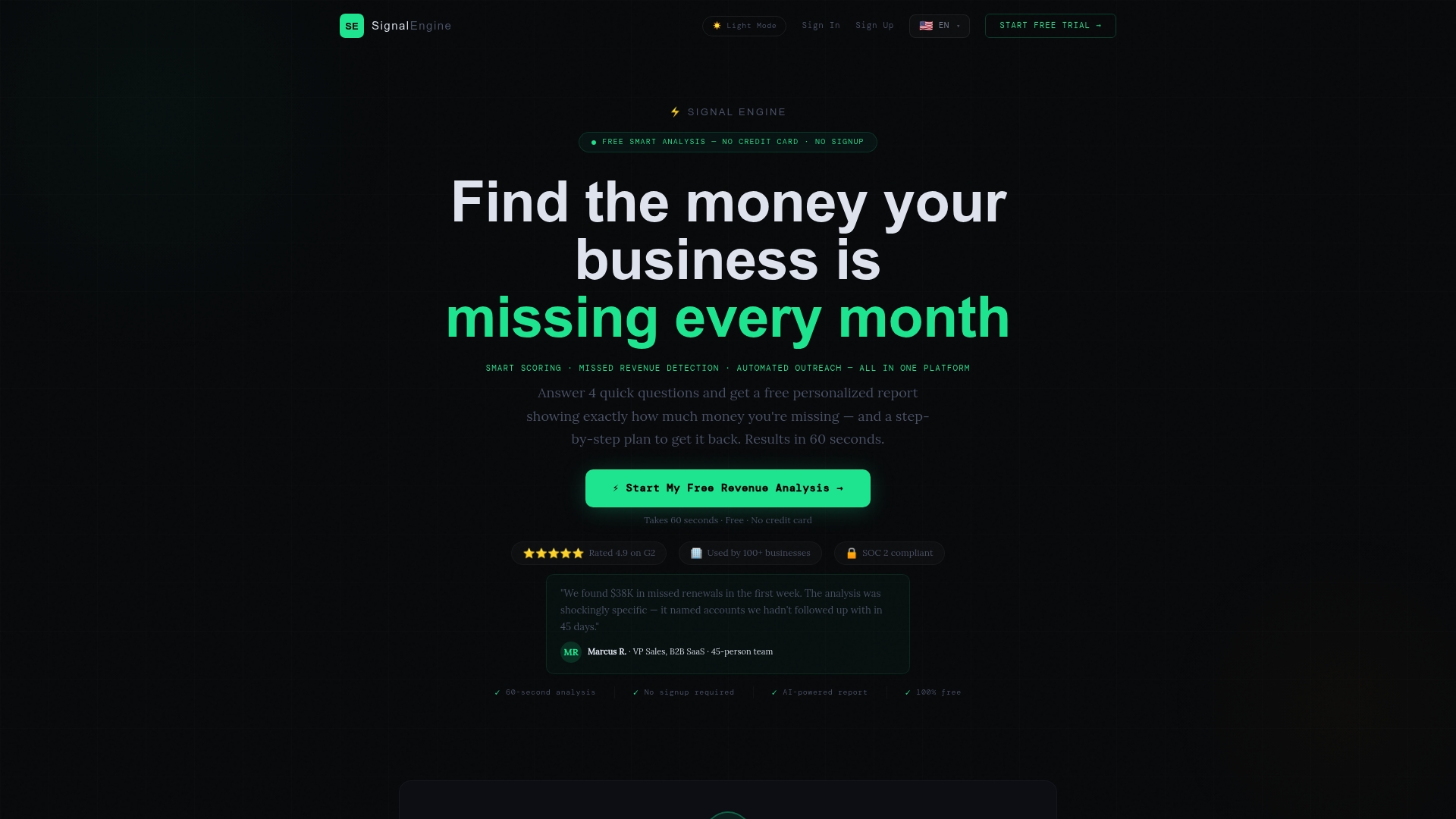
To monitor local competitors well, pick a short list of nearby rivals, watch the same few signals on a fixed schedule (prices, offers, reviews, ads, hours), and turn each change into one action. Doing that by hand works for a month. Keeping it up for a year is where most owners quit. Signal Engine is built to carry that load for small service businesses: it finds real gaps in competitors' offerings and drafts the next move, then holds it for your one-click approval before anything reaches a customer.
This guide shows you the whole routine: who counts as a competitor, what to track, how to log it, which tools fit, and how to act without overreacting to half the picture.
TL;DR
- Track 3 to 7 real competitors, direct and indirect, inside the radius your customers actually travel or search.
- Watch five signals: prices, offers, reviews, ads and availability (hours, service areas, response speed).
- Date-stamp and source every observation. Old data that looks fresh does more harm than no data.
- Act on patterns, not single sightings: one promo is noise, three weeks of the same promo is a signal.
- Software removes the weekly grind and ties competitor moves to your own churn and revenue risk.
Table of Contents
- What it means to monitor local competitors
- The five signals worth watching
- A weekly workflow you can run by hand
- Where the manual method breaks
- What to look for in competitor monitoring software
- How Signal Engine handles the monitoring
- Turning competitor insight into retention and outreach
- A worked example
- Perspective
- Get started with Signal Engine
- FAQ
- Sources
- Ready to Stop the Revenue Leak?
What it means to monitor local competitors
Monitoring is not a one-time market study. The Small Business Administration frames competitive analysis as the way you make your business distinct, and it lists market saturation and what customers pay for alternatives among the questions to answer. Monitoring is that same analysis, repeated on a schedule so you see change as it happens.
For a local business, the unit of competition is the neighborhood, the service area or the zip code, not the whole internet. A plumber in Tampa does not care what a plumber in Denver charges. A salon owner cares a great deal about the new studio three blocks away running a first-visit discount.
Direct and indirect competitors
Direct competitors sell the same thing to the same customers. Qualtrics uses the example of a garden center: other local garden centers are direct rivals. Indirect competitors meet the same need another way. In the same example, a supermarket can undercut on price through scale and convenience.
The same logic applies to service work:
- An HVAC company's direct rivals are other HVAC contractors in its service area. Indirect rivals include the handyman who will "take a look" at a unit, or a big-box installer with financing.
- A dental practice's direct rivals are nearby practices. Indirect ones include urgent care clinics and low-cost dental programs for routine care.
- A restaurant's direct rivals serve a similar menu at a similar price. Indirect ones include meal kits and grocery prepared food. BizScout gives the meal-kit example for exactly this reason.
Build your list with both types, but weight your attention. Most of your time goes to the three to five direct rivals your customers actually compare you with. Indirect rivals get a monthly glance.
The five signals worth watching
You can drown in competitor data. Limit yourself to signals that change what you do next week.
1. Prices and fee structures
Prices are the signal everyone thinks of, and the one most often misread. Record the headline number, but also the structure: trip charges, diagnostic fees, minimums, membership discounts, financing. A rival that looks cheaper may simply have moved cost from the quote to a fee. For a deeper walkthrough, see our guide to competitor price tracking for small businesses.
2. Offers and promotions
Note what is offered, the length of the run and the channel: homepage banner, email, Google Business Profile post, text blast. A promo that appears every spring is a seasonal pattern. A promo that shows up the week after you raised prices is a response.
3. Reviews
Reviews tell you where rivals are weak and where customers are drifting. Read the recent ones, not the star average. Repeated complaints about no-call-backs, missed appointments or surprise charges are openings you can answer with your own process. Reviews on a Google Business Profile are public, and verified owners can reply to them, so you can see how a rival handles complaints too.
4. Ads
If a competitor suddenly runs new search or social ads, they are pushing a service line or a season. Tracking three to seven accounts is enough to see the pattern, and our piece on tracking competitor ads by account shows how to act on them within hours instead of weeks.
5. Availability and responsiveness
Hours, service areas, same-day slots, how fast they pick up the phone. For service businesses this is a quiet revenue driver. A rival that answers every call and texts back after a miss wins jobs on speed alone.
A weekly workflow you can run by hand
Start manual. You will learn what matters before you pay for anything.
- Map the field. List nearby businesses by type, size and location. BizScout suggests walking the area and checking local directories within roughly a 3 to 5 mile radius, recording hours, foot traffic, parking, promotions, prices, offerings and target customers. In a dense city, shrink that radius. In a rural market, stretch it.
- Pick your 3 to 7. Choose the rivals your customers name, plus one or two rising newcomers.
- Build one sheet. Columns: date, competitor, signal type, what you saw, source link, and how reliable it is (posted price, customer report, guess).
- Set a rhythm. Check weekly for prices, offers and ads, and monthly for hours, service areas and new locations.
- Review on a fixed day. Spend 20 minutes asking one question: did anything change that touches our customers?
Keep your data honest
A competitor file has one enemy: decay. A competitive intelligence write-up from Tomba warns that a database that silently ages is worse than none, because people trust it. Its fixes are simple and work for a spreadsheet: timestamp and source everything, give each type of field a shelf life, close the loop with wins and losses, and automate the mechanical parts.
A practical shelf life for a local business:
| Data type | Re-check |
|---|---|
| Posted prices and fees | Every 1 to 2 weeks |
| Promotions | Weekly |
| Ads | Weekly |
| Review themes | Monthly |
| Hours, service area, staff | Monthly or quarterly |
| Location and ownership | Quarterly |
Stick to public information: websites, directories, public profiles, ad libraries and what customers tell you. Keep page checks narrow and respectful rather than building fragile scraping routines, a point also made in this workflow guide.
Where the manual method breaks
The spreadsheet works. The trouble is the calendar. Within a few weeks the check slips to "when I have time," and you are busiest exactly when rivals run their seasonal pushes. Three problems show up fast:
- Coverage. You can watch three rivals by hand. You cannot watch seven across prices, ads and reviews while running jobs.
- Context. A rival's price drop means nothing until you tie it to your own numbers: which customers are price-sensitive, which jobs are at risk, which accounts are already cooling off.
- Action. Even a perfect log does not write the follow-up text or the counter-offer.
That third gap is where most monitoring dies. Information piles up and nothing changes.
What to look for in competitor monitoring software
Plenty of tools exist, and they sort into types. The kind built for e-commerce retailers tracks product prices across hundreds of SKUs. SEO suites track rankings and keywords. Social listening tools track brand mentions. Each is useful for its job, and none is shaped for a plumber, a dentist or a church administrator who needs to know what a nearby rival is doing and what to do about it.
Use these criteria when you evaluate anything:
| Criterion | Why it matters for a local business |
|---|---|
| Local focus | Rivals are defined by your service area, not by global brand rankings |
| Signals beyond price | Offers, reviews, ads and gaps in what rivals provide |
| Link to your own customers | A rival's move only matters if it threatens your accounts |
| Suggested next action | A dashboard that stops at charts leaves the work to you |
| Human approval | Nothing should text or email a customer without your say-so |
| Setup time | If it takes weeks to configure, it will not get used |
| Pricing model | Flat or tiered pricing without per-seat charges suits small teams |
The SEO side deserves a mention if you also compete for search traffic. A guide to SEO competitor analysis covers how to study rival keywords and content, which complements the offline and pricing signals above.
How Signal Engine handles the monitoring
Signal Engine is an AI revenue intelligence platform built for small service businesses that do not have time to dig through data. For competitors, it finds real gaps in what rivals offer, so you can see where you can win instead of just where they are active. Our write-up on competitor gap analysis shows the method.
The monitoring connects to the rest of the revenue picture. The platform scores every customer on buy-readiness and flags who is about to churn, so a competitor's move is read against the accounts that are actually at risk. It drafts the next action and holds everything for one-click approval before anything reaches a real customer. It also supports missed call recovery and email and SMS campaign automation, which matters when the rival's edge is simply answering faster.
It comes with modes for 17 industries out of the box, including HVAC, plumbing, dental, real estate, logistics, landscaping and health and wellness, plus a Church/Ministry mode. If your business does not fit, an onboarding AI builds a custom mode for you.

Turning competitor insight into retention and outreach
Monitoring only pays when it changes what you do. Four habits keep the response sharp.
Act on patterns, not sightings
One rival coupon is not a trend. Wait for the same move to appear twice or last two weeks before you adjust prices. Our guide to acting on one signal in 90 minutes lays out a fast way to move once a pattern is real.
Protect your best customers first
When a rival launches a discount, do not cut your public price. Start with the customers most likely to leave: long-time clients who have gone quiet, accounts that missed their last service window, members whose attendance has dropped. A personal check-in with a value reason to stay beats a blanket markdown.
Answer the gap, not the rival
If reviews show a nearby competitor is slow to call back, your edge is responsiveness. Say so in your outreach, and back it up with a process that delivers.
Do not overreact to incomplete data
You see a rival's posted prices, not their margins, close rates or the jobs they turn away. Treat what you collect as a partial view. Label each entry by reliability, as in your sheet, and let weaker entries inform questions rather than decisions.
A worked example
Say you run an HVAC company with a 15-mile service area. You track five rivals. In week one, one posts a spring tune-up special at a lower price. In week two, a second runs a similar special, and reviews for a third mention no-shows for scheduled visits.
That is a pattern. Your response in order:
- Pull the list of customers whose last tune-up was a year ago or more and who have not rebooked.
- Send them a reminder that leads with your reliability and arrival windows, not a lower price.
- Recover any missed calls from the week quickly, because rivals discounting means more comparison shopping.
- Review again in two weeks and adjust only if bookings drop.
By hand, that is a half-day of sheet work, list pulling and message writing. With software that scores buy-readiness and drafts the outreach for your approval, it is a review-and-approve task.
A note on scale. Seven rivals tracked on five signals is 35 data points per week. Over a year that is more than 1,800 observations to timestamp, source and interpret. That is the point where automation stops being a luxury.
Perspective
Most owners we talk to think monitoring competitors means knowing more. It really means deciding faster. A price you noticed and did nothing about is just trivia.
That is why we built Signal Engine around the next action, not the dashboard. Competitor gaps, buy-readiness scores and churn flags sit in one place, so a rival's move gets read against your own customers. And since every draft waits for your one-click approval, you stay in control of what your customers hear.
Small service businesses should not need an enterprise budget or a data analyst to see where revenue is leaking. They need the signal, the context and a ready-to-send response.
Bernard
Get started with Signal Engine
If you want the monitoring, scoring and follow-up in one place, start with the Free plan and see what the platform finds in your market. When you need more, the Growth plan is $149 per month and Scale is $297 per month, with details on the pricing page. You can also see how it fits your trade on our AI sales tools for service businesses page.
FAQ
How many competitors should I monitor?
Three to seven is the practical range for a local business. Fewer than three gives you a thin picture, and more than seven turns the routine into a chore you will abandon. Focus on the rivals your customers actually compare you with, and add indirect competitors on a monthly check.
How often should I check competitor prices?
Weekly for posted prices, promotions and ads is a good default, with monthly checks on slower-moving items like hours and service areas. Always record the date and source so you know how fresh each entry is. Seasonal businesses such as landscaping or HVAC should check more often at the start of their busy season.
Is it legal to track competitors?
Watching what rivals publish openly, such as websites, public profiles, posted prices and ads, is standard business practice. Stay with public information and avoid anything that requires bypassing a login or misrepresenting who you are. If you are unsure about a specific method, ask your attorney.
What should I do when a competitor cuts prices?
Check whether it is a one-off promotion or a lasting change, and look at what is bundled in or removed. Then protect the customers most likely to leave with a personal outreach before touching your public price. Adjust prices only if a pattern holds for a couple of weeks and your bookings show the effect.
Can software replace manual monitoring?
Software handles the repetitive checking, timestamps and alerts, and it can tie competitor moves to your own customer data. You still decide which actions to approve. That split saves hours each week while keeping your judgment in the loop.
Sources
- Market research and competitive analysis, U.S. Small Business Administration
- How to Find Who Your Competitors Are, Qualtrics
- How to Assess Local Business Competition, BizScout
- Competitive intelligence database, Tomba
- Competitor Tracking Workflow Without the Scraping Mess, GetPrompting
- Manage customer reviews, Google Business Profile Help
Ready to Stop the Revenue Leak?
Signal Engine gives small and local businesses 31 AI-powered tools to score leads by buying intent, predict churn before it happens, auto-generate email and SMS campaigns, and recover missed calls automatically — all in one dashboard starting at $49/month.
Start your free 7-day trial — no credit card required. Setup takes 5 minutes.