

A retention-focused QBR is a decision meeting, not a status update. Its job is to lower churn, surface expansion opportunities, and close the quarter with named owners, specific dates, and three or fewer decisions that actually move the account forward. Structured, data-driven QBRs can reduce churn significantly when they follow a deliberate agenda. That number is the benchmark your QBR program should be chasing.
Before your next meeting, run through this pre-meeting checklist:
- Pre-read sent at least 48 hours before the session
- Executive sponsor confirmed on both sides of the table
- Three decision topics identified and listed in the invite
- KPI scorecard attached to the pre-read, not revealed live
- Owner and due-date fields ready in your action tracker
Keep the live session to 60–90 minutes. Strategic accounts with complex blockers or renewal negotiations can run to 90 minutes. Transactional accounts rarely need more than 45. If you are regularly running over, your agenda is carrying too much reporting and not enough deciding.
Key Takeaways
Retention-focused QBRs reduce churn and grow accounts when they close with named owners, specific dates, and three or fewer decisions made in a 60–90 minute session.
| Point | Details |
|---|---|
| Decision meeting, not status update | Every QBR must close with named owners and due dates; decisions are the only output that matters. |
| 60–90 minute timebox | Strategic accounts run 75–90 minutes; transactional accounts rarely need more than 45. |
| Pre-read sent 48 hours out | Send the scorecard, executive summary, and three decision topics before the meeting, not during it. |
| 70/30 agenda ratio | Spend roughly 70% of the QBR on the client's goals, and 30% on vendor metrics. |
| Signalengine automates the signals | Signalengine scores churn risk, pulls scorecard data automatically, and triggers follow-up workflows so QBRs stay predictive at scale. |
Table of Contents
- What is a QBR and why does it protect retention?
- Who should attend and what each person owns
- A retention-first QBR agenda with time boxes
- Which retention KPIs belong in every QBR scorecard?
- How to prepare: the data pack and pre-read checklist
- How to run the meeting so retention outcomes are protected
- Common QBR mistakes that accelerate churn
- How to scale QBRs across many accounts without losing impact
- What to include in the QBR presentation and follow-up
- How revenue intelligence makes QBRs more predictive
- A practical one-page QBR playbook you can use this quarter
- Ready to Stop the Revenue Leak?
- Sources
- FAQ
- Ready to Stop the Revenue Leak?
What is a QBR and why does it protect retention?
A quarterly business review (QBR) is a structured, strategic meeting between a vendor and a customer that happens every 90 days. The goal is not to recap what happened. The goal is to align on what the customer needs to achieve next, surface risks before they become churn, and agree on who does what by when.
Gainsight's QBR guidance is clear: QBRs turn routine check-ins into strategic touchpoints. They should highlight ROI, assign clear owners and timelines, and be personalized, data-driven, and decision-focused. That framing matters because most teams run QBRs that are none of those things.
Internal vs. external QBRs serve different purposes. Internal QBRs are run by your team, for your team, to assess account health before the client meeting. External QBRs are the client-facing sessions where strategy, risk, and commitments are discussed. Confusing the two, or skipping the internal version, is one of the most common reasons external QBRs feel unprepared.
| Dimension | Internal QBR | External QBR |
|---|---|---|
| Audience | Account team, CS leadership | Client executive, day-to-day champion |
| Focus | Risk assessment, account scoring, prep | ROI proof, strategic priorities, decisions |
| Typical attendees | CSM, AE, product, support lead | Executive sponsor, champion, CSM, AE |
| Primary outcome | Agreed agenda, flagged risks, pre-read draft | Signed action plan, renewed commitment |
QBRs protect retention through four specific mechanisms:
- Executive alignment keeps the relationship anchored above the day-to-day champion, reducing single-threaded risk
- ROI proof gives the client a reason to renew before procurement asks the question
- Risk surfacing catches adoption gaps, unresolved tickets, and sentiment shifts before they become cancellation conversations
- Mutual accountability creates a shared record of commitments that both sides can track
Who should attend and what each person owns
Getting the invite list right is the difference between a meeting that produces decisions and one that produces more meetings. Every seat at the table needs a clear role.
Client-side attendees:
- Executive sponsor: Approves budget, validates strategic fit, and signals organizational commitment. Without this person, you cannot make renewal decisions in the room.
- Day-to-day champion: Owns product adoption, surfaces operational blockers, and carries action items back to their team.
- Technical lead (as needed): Required when integration, security, or implementation topics are on the agenda.
Vendor-side attendees:
- Account manager or CSM: Owns the meeting, facilitates the agenda, and closes the action register.
- Executive sponsor (vendor-side): Mirrors the client's executive. Their presence signals that the relationship matters at the leadership level.
- Product or operations lead (as needed): Invited only when a specific roadmap or delivery question is on the agenda. Do not bring them as a default.
Attendance frequency by account tier:
- Strategic accounts: Executive sponsors on both sides attend every QBR.
- Growth accounts: Vendor executive attends at least two of four QBRs per year, typically at renewal and mid-year.
- Transactional accounts: CSM-led, champion-only on the client side; executive joins for renewal QBR only.
Securing executive attendance is the hardest part. Send the invite from your own executive's calendar, not the CSM's. Frame the meeting around the client's strategic priorities in the subject line, not your product. Give them a one-sentence preview of the decision they will be asked to make. Executives attend meetings where they are needed to decide something, not meetings where they are needed to listen.
A retention-first QBR agenda with time boxes
The agenda below is built for a 75-minute external QBR with a strategic account. Adjust time blocks for shorter or longer sessions by compressing or expanding the discussion segment, never the decision segment.
| Segment | Time | Owner | What happens |
|---|---|---|---|
| Welcome and outcomes | 5 min | CSM | State the three decisions to be made today |
| Executive summary | 10 min | CSM | One-page scorecard, top wins, top risks |
| KPI review | 15 min | CSM + champion | Walk the scorecard; flag anomalies |
| ROI and impact | 10 min | CSM | Tie usage to the client's business outcomes |
| Blockers and risks | 10 min | All | Open issues, escalation items, churn signals |
| Roadmap and priorities | 10 min | Product/CSM | What is coming and what it means for the client |
| Mutual action plan | 10 min | All | Assign owners, confirm dates, close decisions |
| Wrap and next steps | 5 min | CSM | Recap commitments, confirm next QBR date |
Slide-by-slide template notes:
- Slide 1 (Executive summary): One sentence on account health, one on top win, one on top risk. No more.
- Slide 2 (KPI scorecard): Show the metrics in the pre-read. The live session is for interpretation, not revelation.
- Slide 3 (ROI proof): Translate product usage into the client's language. Hours saved, revenue influenced, tickets deflected.
- Slide 4 (Blockers): List open issues with age and severity. Do not hide them.
- Slide 5 (Roadmap): Two or three items relevant to this account. Not a full product roadmap.
- Slide 6 (Action plan): Owner, action, due date. Every row filled before the meeting ends.
DocBeacon's QBR playbook makes the case clearly: use the pre-read to orient stakeholders so the live session is reserved for decisions. Immediately close with owners and dates to enable follow-through. That discipline is what separates a QBR that drives renewal from one that generates a polite email and no action.
Pro Tip: Put the three decision topics in the calendar invite body, not just the agenda slide. Executives who see the decisions in advance arrive prepared to decide, which cuts your discussion time in half.
Which retention KPIs belong in every QBR scorecard?
Your scorecard should answer one question for the client: "Are we getting what we paid for?" And it should answer one question for you: "Is this account at risk?" Every metric you include should serve at least one of those two purposes.
| KPI | What it measures | Action threshold |
|---|---|---|
| Renewal probability | Likelihood of renewal based on health signals | Below 70%: escalate to executive |
| Net Revenue Retention (NRR) | Revenue retained plus expansion, minus churn | Healthy SaaS targets: 105–120%+ |
| Product adoption rate | Active users vs. licensed seats | Below 60%: trigger adoption plan |
| Feature utilization depth | Core features used vs. available | Stagnant for 60+ days: risk signal |
| Churn risk score | Composite signal from usage, support, sentiment | Any red score: QBR agenda priority |
| NPS or CSAT | Customer sentiment | NPS below 30 or CSAT below 75%: flag |
| Support ticket volume and severity | Unresolved friction | Rising severity trend: blocker discussion |
| ARR/MRR movement | Expansion, contraction, or flat | Contraction two quarters running: renewal risk |
It almost always precedes a cancellation conversation by 60–90 days, which means a QBR that catches it has time to intervene. For NRR benchmarks and examples specific to your vertical, the right target depends on your business model, but the 105–120%+ range is the standard for healthy SaaS.
Visualization tips by audience:
- Executives want trend lines, not tables. Show direction, not just current state.
- Operational champions want drill-downs. Give them the ability to see which teams or features are underperforming.
- For risk signals, use red/yellow/green status indicators. Executives process color faster than numbers in a live meeting.
Vonsel's research recommends focusing the majority of the QBR on the client's goals, with a smaller portion on vendor metrics. That ratio should show up in your scorecard too. Lead with the client's outcomes, then show how your product contributed.
How to prepare: the data pack and pre-read checklist
The quality of your QBR is decided before anyone joins the call. Preparation is where retention is won or lost.
Four weeks out:
- Pull account health data: usage trends, support history, NPS/CSAT scores, open issues.
- Identify the three decision topics for this QBR.
- Confirm executive attendance on both sides.
Two weeks out:
- Draft the KPI scorecard and executive summary.
- Align internally on account risks and escalation items.
- Build the slide deck through the ROI slide.
One week out:
- Complete the full deck and action tracker template.
- Run an internal QBR with your team to pressure-test the narrative.
- Send the pre-read package to the client.
48 hours out:
- Confirm attendance and send a reminder with the pre-read link.
- Verify that all data is current and no major support issues have opened since the pre-read was sent.
The pre-read package should include:
- One-page executive summary (account health, top win, top risk, three decisions)
- KPI scorecard with prior-quarter comparison
- Adoption heatmap or usage summary
- Open issues log with age and severity
- Proposed agenda with time boxes
ChecklistSpace's QBR checklist covers preparation, past performance review, strategic health, and follow-up in a printable format worth bookmarking for your team's standard operating procedure.
Pro Tip: Send the pre-read as a PDF, not a live link to a shared deck. Executives read PDFs. They rarely click into collaborative documents before a meeting.
How to run the meeting so retention outcomes are protected
Facilitation is where most QBRs fall apart. The deck gets walked slide by slide, the executive checks out by minute 20, and the meeting ends without a single decision captured.

Start with outcomes, not housekeeping. Open by stating the three decisions the group needs to make before the meeting ends. This reframes the session from a presentation to a working meeting.
Use the pre-read as your orientation tool. Assume everyone has read it. If they have not, that is their problem, not yours. Spending the first 20 minutes recapping the pre-read is the single fastest way to lose executive attention.
Call out decision topics early and often. When a discussion point connects to a decision, name it: "This is one of our three decisions today. Let's make sure we close it before we move on."
Facilitation sequence:
- State outcomes (3 decisions, 75 minutes, parking lot for off-topic items)
- Walk the scorecard highlights, not every cell
- Invite the client to add context before you interpret the numbers
- Surface blockers and risks before the roadmap discussion
- Build the action plan live, in the room, with names and dates
- Close by reading back every commitment
The parking lot is a shared doc or whiteboard section where off-topic items go so they do not derail the agenda. Assign one person to manage it. At the end of the meeting, spend two minutes deciding which parking-lot items become action items and which get dropped.
Action-tracker rules:
- Every action has one owner, not a team
- Every action has a date, not "ASAP"
- Every action is read back before the meeting closes
- The tracker is published within 24 hours
Pro Tip: Narrative framing accelerates executive buy-in. Before presenting a risk, frame it as a story: "Last quarter, your team was on track for X. Here is what changed, and here is what we recommend." Executives respond to cause-and-effect narratives faster than they respond to data tables.
Common QBR mistakes that accelerate churn
Most churn that originates in a QBR is not caused by bad news. It is caused by a bad meeting that signals to the client that you do not understand their business.
Mistake 1: Presenting your metrics, not their outcomes. Fix: Lead every data point with the client's business impact. "Your team processed 1,200 tickets through the platform" becomes "Your team saved an estimated 400 hours of manual processing last quarter."
Mistake 2: Inviting the wrong people. Fix: If the client's executive is not in the room, reschedule. A QBR without executive presence is a status update with a fancier name.
Mistake 3: Skipping the hard questions. Fix: Put the riskiest topic on the agenda explicitly. "We want to discuss the adoption gap in your West region" signals that you are paying attention. Avoiding it signals that you are not.
Mistake 4: No follow-up within 24 hours. Fix: Publish the action register the same day. Teams that follow up within 24 hours with an action register see higher follow-through rates than those who send a recap days later.
Mistake 5: One-size-fits-all decks. Fix: Customize at least the executive summary and ROI slide for each account. A client in logistics should not see a deck built for a dental practice.
Red-flag checklist for spotting trouble during or after a QBR:
- Executive left early or sent a delegate without notice
- No decisions were made in the session
- The client asked for "time to think" on a renewal question
- Action items were assigned to "the team" with no individual owner
- The follow-up email went unanswered for more than 48 hours
Any two of these in a single QBR cycle is a churn signal worth escalating immediately.
How to scale QBRs across many accounts without losing impact
The QBR model breaks at volume if you run every account the same way. Tiering is the fix.
Three-tier model:
- Strategic accounts: Full 75–90 minute external QBR, executive on both sides, custom deck, quarterly cadence.
- Growth accounts: 45–60 minute session, champion-led on the client side, semi-custom deck, quarterly cadence with a lighter mid-quarter check-in.
- Transactional accounts: 30-minute digital QBR or async video summary, standard scorecard template, semi-annual cadence with automated health alerts in between.
Automation checklist for scaling:
- Automate data collection into a standard scorecard template (CRM, product analytics, support data)
- Auto-generate dashboard snapshots for the pre-read package
- Use templates for slide generation, customizing only the executive summary and ROI sections
- Automate follow-up reminders for action-item owners at 7 and 14 days post-QBR
- Set automated health alerts to trigger between QBRs when a churn signal fires
Scheduling playbook:
- Block QBR weeks at the start of each quarter, not the end. End-of-quarter scheduling competes with close activity and executive availability.
- Stagger strategic and growth accounts across the quarter so your team is not running 20 QBRs in the same two-week window.
- For accounts flagged as at-risk, pull the QBR forward. Do not wait for the scheduled date when a usage drop or support escalation signals trouble.
Automating churn intervention outreach between QBRs is what keeps transactional accounts from going dark between reviews. The QBR sets the strategy; automation enforces it.
What to include in the QBR presentation and follow-up
Slide checklist:
- One-line executive summary (account health status, one win, one risk)
- KPI scorecard with prior-quarter comparison and trend arrows
- ROI calculation tied to the client's stated business goals
- Open issues log with age, severity, and owner
- Decision register (the three topics requiring a decision today)
- Roadmap highlights relevant to this account
- Mutual action plan with owner, action, and due date for every row
Follow-up timeline:
- Same day: Publish the action register to a shared location and notify all owners by email.
- Within 24 hours: Send the meeting recap with decisions made, actions assigned, and next QBR date confirmed.
- Day 7: First action-item check-in. Flag any items at risk of missing their due date.
- Day 30: Mid-quarter health check. A brief async update or a 15-minute call for strategic accounts.
- Day 60: Pre-QBR data pull begins for the next cycle.
Action-tracker template fields:
- Action description
- Owner (single named individual)
- Due date
- Status (open / in progress / complete / blocked)
- Escalation flag (yes/no)
For accounts where renewal is within 90 days, email automation keeps action owners engaged between formal check-ins without requiring manual follow-up from the CSM on every item. Escalation rules should be simple: any action that misses its due date by more than five business days triggers an automatic escalation to the executive sponsor on the vendor side.
How revenue intelligence makes QBRs more predictive
Gartner found that only 14% of customer service issues are fully resolved through self-service, which means the vast majority of friction in your accounts is invisible until a human surfaces it. QBRs are that human intervention. Revenue-intelligence tools make that intervention faster and more precise.
What revenue-intelligence capabilities change about QBR preparation:
- Churn signal triggers: Automated alerts when usage drops, support volume spikes, or sentiment scores shift, so you know which accounts need a risk-focused agenda before you build the deck.
- Account scoring: A composite health score that ranks accounts by renewal probability, letting you prioritize which QBRs get executive attention and which can run on a lighter format.
- Automated data collection: Dashboard snapshots pulled from your CRM, product analytics, and support tools without manual exports, so the scorecard is always current.
- Follow-up workflow automation: Action-item reminders, mid-quarter health alerts, and escalation triggers that run without CSM intervention.
When to use these signals:
- Early warning: A churn signal firing 60–90 days before a QBR gives you time to adjust the agenda, pull in an executive, and prepare a recovery plan.
- Prioritizing action items: Account scores help you decide which post-QBR actions are urgent and which can wait.
- Customizing the agenda: Accounts with high expansion signals get a roadmap-heavy agenda. Accounts with risk signals get a blocker-heavy one.
Teams using AI tools for client analysis report faster risk detection and higher renewal confidence because the signals arrive before the conversation, not during it. The QBR becomes a confirmation of what the data already suggested, not a discovery session.
A practical one-page QBR playbook you can use this quarter
Most QBR programs fail not because the team lacks knowledge but because the routine never gets locked in. Here is what actually works in the first 90 days of building or fixing a QBR program.
Start with your top 10 accounts. Do not try to run QBRs across your entire book in the first quarter. Pick the 10 accounts where retention matters most, run the full process, and use what you learn to build the template for everyone else.
Lock the pre-read habit first. The single highest-leverage change most teams can make is sending a structured pre-read 48 hours before every QBR. It shifts the live session from reporting to deciding, and it signals to the client that you are prepared.
One-page playbook layout:
Pre-meeting (48 hours before): Send pre-read with executive summary, scorecard, open issues, and three decision topics. Confirm executive attendance.
Live meeting (60–90 minutes): Open with outcomes. Walk scorecard highlights. Surface blockers. Build action plan live. Close with every commitment read back.
Immediate follow-up (same day): Publish action register. Notify owners. Confirm next QBR date.
Suggested next steps for teams starting or fixing their QBR program:
- Audit your last three QBRs: did they produce decisions with named owners and dates? If not, that is your baseline problem.
- Build a standard pre-read template this week and use it for your next meeting.
- Identify your top three at-risk accounts and schedule a QBR within 30 days, not at the end of the quarter.
- Set a 24-hour follow-up rule as a team standard and track compliance for one full quarter.
The role of QBRs in growth extends well beyond retention. But retention is where the ROI is clearest and fastest. Get the retention mechanics right first, then layer in expansion plays.
Ready to Stop the Revenue Leak?
Your QBR program is only as strong as the signals feeding it. If you are building scorecards from manual exports and chasing action items by email, you are leaving churn on the table.
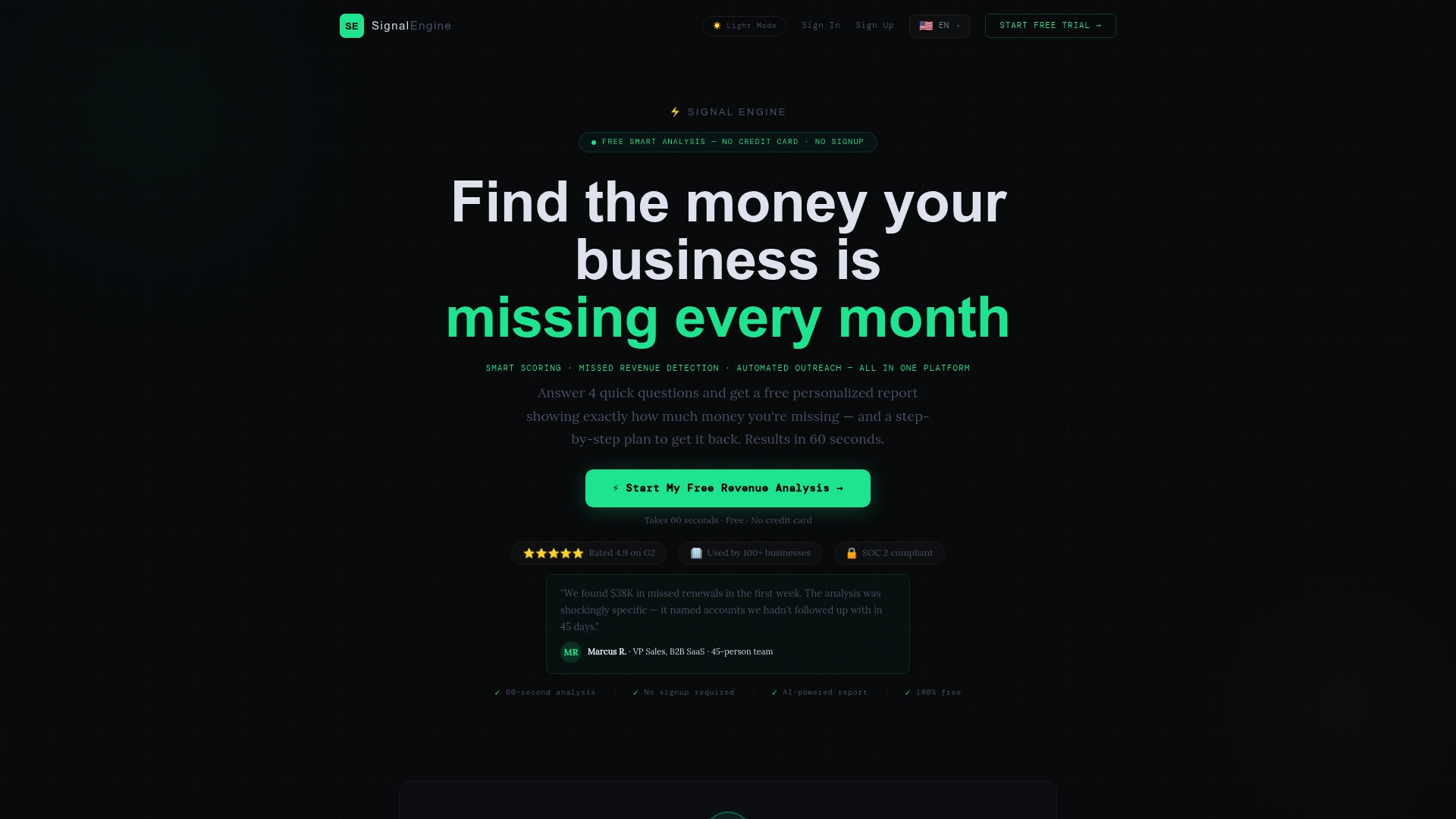
Signalengine watches your accounts automatically, scores churn risk before it shows up in a cancellation email, and flags which accounts need a risk-focused QBR agenda right now. It pulls your CRM, product, and support data into a single dashboard so your pre-read builds itself. For teams running QBRs across 10, 50, or 500 accounts, that automation is what keeps quality consistent at scale.
Revenue intelligence for small business starts at $49/month. No data team required. Book a live demo and see your account health scores in under 10 minutes.
Sources
These are the primary sources behind this guide. Each one adds something specific.
- The Essential Guide to Quarterly Business Reviews (QBRs) — Gainsight
- Quarterly Business Reviews That Retain Clients — Vonsel
- Customer Retention Strategy: Complete Guide to Reducing Churn and Growing Revenue in 2026 — Digimau
- Gartner: Survey finds only 14 percent of customer service issues are fully resolved in self-service
FAQ
What is the ideal length for a quarterly business review?
Keep the live session to 60–90 minutes. Strategic accounts with renewal or escalation topics can use the full 90 minutes; transactional accounts typically need 45 minutes or less.
How do you get executives to attend a QBR?
Send the invite from your own executive's calendar, name the specific decision the client executive needs to make in the subject line, and attach the one-page pre-read so they arrive prepared rather than curious.
What KPIs should every QBR scorecard include?
At minimum: renewal probability, NRR, product adoption rate, churn risk score, and NPS or CSAT. Healthy SaaS businesses target NRR of 105–120%+ as a benchmark for expansion-driven retention.
How soon should you send the follow-up after a QBR?
Publish the action register the same day and send the full recap within 24 hours. Teams that follow up within 24 hours consistently see higher action-item completion rates than those who wait.
How does Signalengine support QBR preparation?
Signalengine automatically scores account health, flags churn risk signals, and pulls CRM and product data into a single dashboard so your scorecard and pre-read are ready without manual data pulls. Churn prediction fires 60–90 days before a likely cancellation, giving your team time to adjust the QBR agenda and intervene.

Ready to Stop the Revenue Leak?
Signal Engine gives small and local businesses 31 AI-powered tools to score leads by buying intent, predict churn before it happens, auto-generate email and SMS campaigns, and recover missed calls automatically — all in one dashboard starting at $49/month.
Start your free 7-day trial — no credit card required. Setup takes 5 minutes.