

Start with a CRM as your system of record, add a free analytics baseline like Google Analytics 4, and layer in a scheduling tool. That's it. That's the foundation. Every other purchase, from call tracking to AI assistants, waits until those three are logged, connected, and actually being used. Skip ahead to automation or AI before your data is clean, and you're just automating chaos faster.
TL;DR:
- Small businesses should first implement a CRM as their system of record and connect it with a free analytics tool like Google Analytics 4 to establish a reliable data baseline.
- Disconnected tools cause predictable revenue leaks, such as leads not transferring into the CRM or reporting requiring manual data stitching, which can be prevented with a connected core.
- ROI is primarily driven by adoption, with many licenses going unused when tools lack clear ownership, measurable goals, or proper integration, leading to significant waste.
- Building an effective sales stack involves sequentially adding functions like automation, scheduling, call tracking, and AI only after ensuring each component is stable and used regularly.
- AI's most valuable role comes after establishing a clean CRM and automation, focusing on lead scoring, churn prediction, and missed-call recovery, not as a replacement for disciplined data management.
Table of Contents
- What a sales tech stack small business teams actually need
- What ROI actually looks like, and where it leaks
- The five sales functions your stack has to cover
- Tool categories every small team should understand
- How to build your sales tech stack in the right order
- The selection checklist that stops sprawl before it starts
- Keeping the stack lean: adoption and governance
- What AI can realistically do in a small business sales stack
- Example budgets by team size
- How Signal Engine fits into the gaps above
- Three rules that matter more than any tool
- Ready to close the gaps a scattered stack leaves open
- Ready to Stop the Revenue Leak?
- Sources
- FAQ
What a sales tech stack small business teams actually need
A sales tech stack is a layered set of tools, connected through integrations, that manages how a company finds, tracks, and closes revenue. At the center sits what's called a "system of record," the one platform that holds the truth about every lead, deal, and customer. For most small teams, that's the CRM. Everything else, from email sequences to call logs, either feeds data into it or pulls data out.
Connectivity matters more than any single feature. A small business tech stack built as a connected core, with a CRM hub and a few well-chosen specialists, consistently outperforms both extremes: the bloated all-in-one platform nobody fully uses, and the best-of-breed pile of disconnected apps nobody can reconcile.
Disconnected tools create predictable damage:
- Leads captured in a form tool never make it into the CRM, so nobody follows up.
- Two reps work the same account because neither system shows the other's activity.
- Revenue reporting requires manually stitching together three exports every month.
- A canceled deal in the CRM still shows as "active" in the invoicing tool.
None of these are exotic failures. They're what happens by default when tools don't talk to each other, and they're exactly what a connected core prevents.
What ROI actually looks like, and where it leaks
A working sales tech stack gives you pipeline visibility, faster handoffs between marketing and sales, and forecasting that's based on real data instead of gut feel. Reps stop guessing which deals are actually live. Owners stop finding out about a lost customer three months after the fact.
But the tools themselves aren't what generates that return. Adoption is.
A meaningful share of purchased software licenses at small businesses go unused, according to Connected Council's small business resilience report, and unused seats are pure revenue leakage. You're paying monthly for software your team opens once and abandons. Forrester's research on revenue enablement makes the same point from a different angle: enablement investments only pay off when they're tied to measurable sales outcomes, not just tool purchases.
The common leak points are predictable once you know to look for them:
- Paid seats for reps who log in less than once a week.
- A CRM and a marketing tool that both claim to be the "source of truth" for lead status.
- Reporting dashboards nobody checks because the data is a quarter behind.
- Trial subscriptions that quietly converted to paid and never got used.
If you can't name who owns each tool and what it's supposed to produce, you likely have at least one of these leaks right now.
The five sales functions your stack has to cover
Every sales process, no matter how small the team, runs through five functions. Miss one, and you'll feel it in the numbers before you can name the cause.
- Discovery and qualification. Deciding which leads are worth pursuing. Usually handled inside the CRM, sometimes with a scoring layer on top.
- Engagement. The actual outreach: calls, emails, texts, follow-ups. Engagement platforms and call tracking tools live here.
- Opportunity management. Tracking a deal from first contact to close, including who owns it and what stage it's in. This is core CRM territory.
- Analytics and forecasting. Understanding which channels produce revenue and predicting what's coming next quarter. This is where a GA4 baseline and CRM reporting intersect.
- Enablement. Giving reps the scripts, content, and coaching that make the other four functions work. Conversation intelligence tools increasingly cover this.
You'll know a function is missing before you can diagnose why. Missed follow-ups usually trace back to a broken engagement layer. Leads that vanish without explanation point to a discovery and qualification gap. Forecasts that are consistently wrong, in either direction, mean your analytics function is running on stale or incomplete data. Map your current tools against these five functions, and the gaps tend to announce themselves fast.
Tool categories every small team should understand
You don't need to buy something in every category below on day one. You need to know what each one does, because the label on the pricing page rarely tells you.
- CRM. The system of record for contacts, deals, and activity history. A morning with a working CRM means every rep opens it first, sees exactly which deals need attention, and logs a call in under thirty seconds.
- Workflow automation. Rules that move data and trigger actions without a human clicking anything: a new form submission creates a CRM record, a deal marked "closed won" fires off an invoice.
- Scheduling. Booking links that let a prospect grab time on a calendar without the back-and-forth email chain. Small detail, outsized impact on how fast a lead converts to a meeting.
- Call tracking. Records and routes phone calls, often tagging which marketing source generated each one. Critical once phone volume becomes a real revenue channel.
- Conversation intelligence. Analyzes calls and meetings for patterns, objections, and coaching opportunities. Higher value for teams with more than a handful of reps.
- Analytics. Dashboards showing where leads originate and how they move through the funnel. GA4 is the free entry point most teams should start with.
- AI assistants. Score leads, draft outreach, summarize calls, or flag churn risk. Highest ceiling, but only once the categories above are feeding it clean data.
Choose an integrated suite when your team is small and your priority is fewer logins and less reconciliation work. Choose specialist tools, connected through integrations, once you have a function (like call tracking or conversation intelligence) that a generalist platform handles poorly.
How to build your sales tech stack in the right order
Sequence beats speed. Buying five tools in one week guarantees none of them get set up properly.
- Install analytics first. Google Analytics 4, free, before anything else. You need a baseline for which channels already produce leads before you spend a dollar on new tools. Acceptance criteria: you can name your top three lead sources by the end of week one.
- Set up the CRM as system of record. Every lead gets logged automatically, whether it comes from a form, a call, or a walk-in. Acceptance criteria: duplicate contact rate under 5%, and every open deal has an owner and a next action date.
- Add a booking tool. Connect it directly to the CRM so scheduled meetings create or update a deal automatically. Acceptance criteria: zero manual calendar invites for sales meetings within two weeks of launch.
- Layer in lightweight automation. Start with the three that pay off fastest: a web form that auto-creates a CRM lead, a "closed won" status that triggers an invoice, and a missed call that auto-generates a follow-up task for the next business day.
- Add call tracking once phone volume justifies knowing which marketing source drove each call.
- Bring in AI last, after your CRM data is clean and your process is repeatable enough for an algorithm to learn from it.
Pro Tip: Set a 90-day checkpoint for every new tool before you add the next one. If you can't show measurable use, don't buy the next item in the sequence, fix the current one.
An automated outreach playbook is worth reviewing once your CRM and booking tool are stable, since automation only saves time when the data feeding it is accurate.
The selection checklist that stops sprawl before it starts
Every new tool should survive four questions before you sign up, let alone pay for a year upfront.
- Does it sync natively with your CRM, or does it require middleware? Native sync means data flows without a third connector app to maintain and pay for separately. Middleware works, but it's another point of failure and another line item.
- What's the real pricing shape? Per-seat pricing punishes growth. Flat pricing can hide add-on traps, extra fees for integrations, higher tiers, or API access that looked "included" in the demo. Calculate total cost of ownership at the size you'll be in twelve months, not today.
- Can your team actually use it without a training week? Mobile access matters if anyone works from a truck, a job site, or a sales floor. Reporting fidelity matters if you'll actually pull numbers from it monthly.
- What's the support response time when something breaks? A tool with no SLA and a two-day support queue will cost you more in downtime than it saves in monthly fees.
- Who owns this tool, and how will you measure whether it's working? No answer to this question means no purchase, regardless of how good the demo looked.
A marketing automation checklist can help you run through equivalent questions on the marketing side of your stack, where the same sprawl risk applies.
Keeping the stack lean: adoption and governance
Every tool needs an owner. Not "the team," not "whoever has time." One named person who's accountable for whether it's actually used.
- Assign a tool owner for each platform, even if it's the same person for three of them.
- Set an adoption KPI: percentage of reps logging in weekly, percentage of leads captured automatically, whatever's measurable for that tool.
- Run a quarterly license audit. Cut seats nobody's touched in 60 days before the renewal, not after.
- Approve new tools only when they meet three conditions: they integrate with your CRM, someone owns them, and you can name the ROI you expect within 90 days.
- Build a retirement checklist for sunsetting tools: export the data, confirm nothing downstream breaks, and cancel before the renewal date, not after it.
Pro Tip: Put license renewal dates on a shared calendar 30 days out. That single habit catches more waste than any audit spreadsheet.
This is also where a lot of small teams get burned by common sales blind spots, most of which trace back to a tool nobody owns and nobody measures.
What AI can realistically do in a small business sales stack

AI's highest-value uses for small teams are narrow and specific: scoring leads by likelihood to buy, personalizing outreach at a scale a human couldn't match manually, and summarizing sales calls for coaching. Each of these saves real time once the groundwork is in place.
That groundwork is non-negotiable. Before adding AI, audit your process and data quality, because an AI agent acts on whatever data it receives. Feed it duplicate contacts and inconsistent deal stages, and it will confidently produce garbage recommendations.
- Clean CRM data with deduplication run before, not after, AI goes live.
- A repeatable sales process AI can actually learn patterns from.
- A named owner who checks AI outputs before they reach a customer.
- A measurement plan that tracks results, not just usage.
Small-business AI adoption tends to produce faster returns when it's limited to three to five integrated workflows deployed deeply, rather than spread thin across a dozen shallow use cases. The most common pitfall isn't choosing the wrong AI tool. It's pointing a good tool at messy data, or buying based on a feature list instead of a specific problem you can name.
Example budgets by team size
Costs shift with team size, but the sequencing logic holds at every stage. A connected five-tool stack, CRM, scheduling, automation, call tracking, and an AI assistant, runs roughly $340 a month for a five-person team at reference list prices. Sprawl costs far more than that once duplicate and unused tools pile up.
| Team size | Core tools | Rough monthly cost shape | Notes |
|---|---|---|---|
| Micro (1 to 3 people) | CRM + scheduling + GA4 | Low, often under $100 | GA4 is free; CRM and scheduling entry tiers keep this lean |
| Small (4 to 5 people) | CRM seats + automation + call tracking + analytics dashboard | Moderate, several hundred dollars | Seat count and add-on automation tiers drive the range |
| Growing (6 to 30 people) | Above, plus conversation intelligence + staged AI workflows | Higher, scales with seats and AI usage | Governance and quarterly audits matter more as tool count grows |
The jump between tiers isn't really about spending more. It's about adding one function at a time, only once the previous one is actually working.
How Signal Engine fits into the gaps above
Most of the gaps described above, missed follow-ups, unscored leads, invisible churn risk, come from a stack that has tools but no intelligence layer connecting them. That's the specific problem Signal Engine is built to close for small service businesses.
- Lead scoring covers the discovery and qualification function, ranking who's actually ready to buy instead of guessing.
- Missed-call recovery plugs directly into the engagement gap, turning a dropped call into an automatic follow-up instead of a lost lead.
- Churn prediction feeds analytics and forecasting with a signal most small teams never see until a customer is already gone.
- Industry-specific modes, built for verticals like HVAC, dental, real estate, and logistics, mean you're not configuring a generic dashboard from scratch.
The right time to trial a revenue intelligence tool is right after your CRM and basic automations are stable, the same point in the sequence where AI belongs. During a trial, measure whether lead scoring actually changes which deals your reps call first, and whether missed-call recovery reduces the number of leads that go cold. Full deal intelligence features are worth reviewing at that stage.
Three rules that matter more than any tool
If you take one thing from this, take this: start with a clean CRM, not a clever tool. I'd rather see a small business run a spreadsheet disciplined enough to log every lead than a five-tool stack nobody trusts.
Three rules hold up regardless of industry. First, CRM and clean data come before anything else, no exceptions. Second, cap yourself at three integrated tools until each one has a named owner and a 90-day track record. Third, assign that owner and measure adoption weekly, not annually.
Ignore the myth that more tools mean more control. Sprawl is where control actually goes to die. And ignore the myth that AI fixes a broken process. It amplifies whatever process you already have, good or bad. Build in order, measure constantly, and let the stack earn its next addition.
— Bernard
Ready to close the gaps a scattered stack leaves open
If you've read this far, you already know the fastest way to lose revenue isn't a missing tool, it's a lead that never gets scored, a call that never gets returned, or a customer who churns quietly while nobody notices. That's precisely the layer Signal Engine Growth is priced to cover for small and local businesses, without the per-seat pricing or year-long contracts that make bigger platforms painful to try.
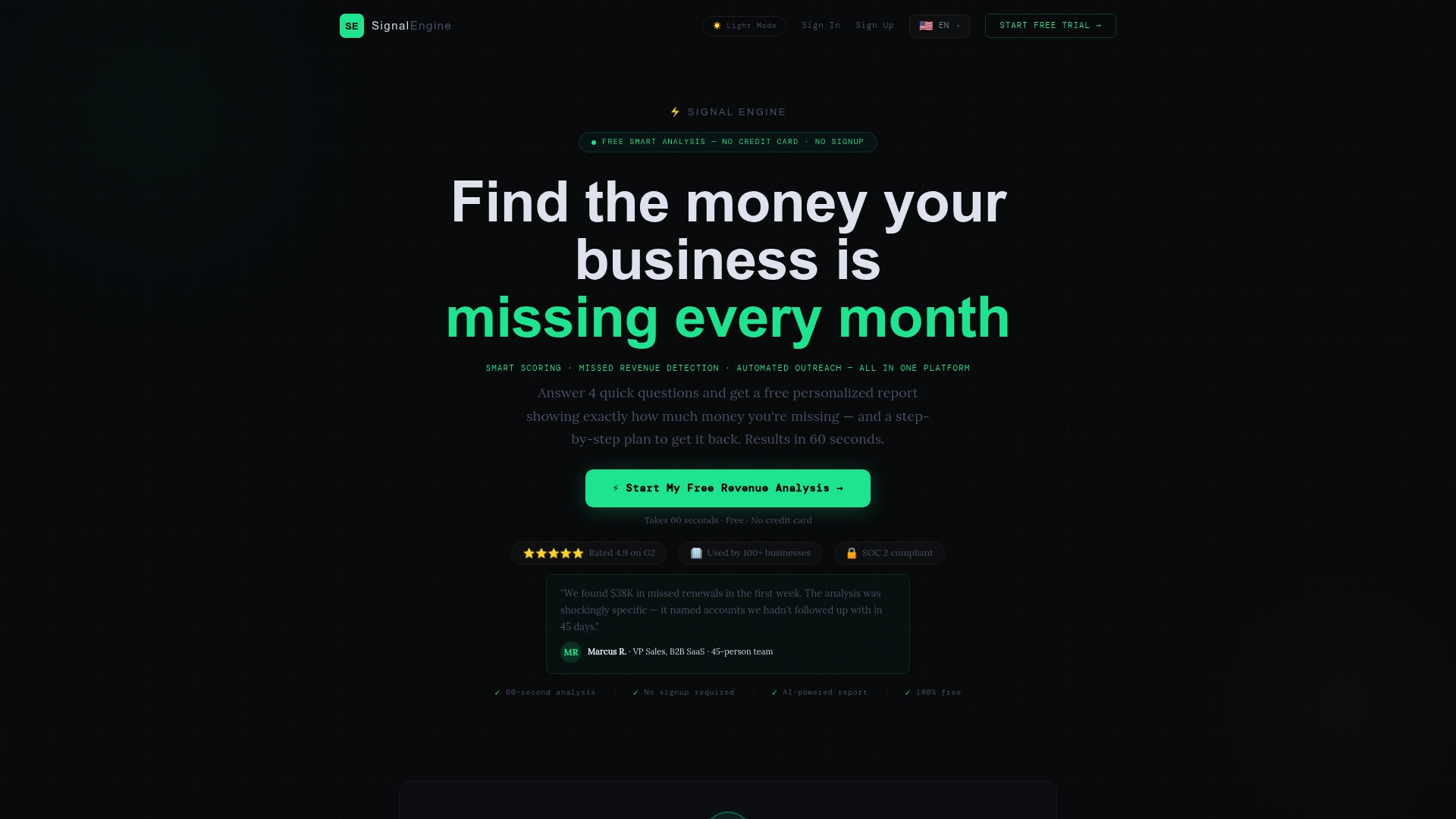
Once your CRM and basic automations are running, a revenue intelligence tool slots in as the intelligence layer on top: scoring leads by buy-readiness, flagging churn risk early, and recovering missed calls automatically. Every plan includes the full feature set, so you're not upgrading tiers just to unlock the tools you actually need. Check the pricing page and start a trial once your foundation is in place, not before.
Ready to Stop the Revenue Leak?
Signal Engine gives small and local businesses 31 AI-powered tools to score leads by buying intent, predict churn before it happens, auto-generate email and SMS campaigns, and recover missed calls automatically, all in one dashboard starting at $49/month.
Start your free 7-day trial, no credit card required. Setup takes 5 minutes.
Sources
For deeper evidence behind the recommendations above, see Machina's small business tech stack guide, Forrester's take on revenue enablement, Harvard Business Review on optimizing sales spend, and Connected Council's small business resilience report.
- The Small Business Tech Stack: What You Need in 2026 | Machina
- Revenue enablement is not in the tool business | Forrester
- Digital tools: The key to small business resilience (Connected Council)
FAQ
What's the first tool a small business should buy for sales?
Analytics, specifically a free tool like Google Analytics 4, comes first, followed immediately by a CRM as your system of record. Everything else in a small business tech stack should wait until those two are logging real data.
How much should a small sales tech stack cost per month?
A connected five-tool stack for a five-person team runs roughly $340 a month at reference list prices, though micro teams of one to three people can start under $100 using free-tier analytics and entry-level CRM plans.
Do micro-businesses really need a CRM?
Adoption data shows many micro-businesses still rely on spreadsheets while most larger small businesses have moved to a CRM. If you're logging more than a handful of leads a week, a CRM prevents the follow-up gaps a spreadsheet eventually creates.
When should a small business add AI to its sales stack?
Add AI only after your CRM data is clean, your process is repeatable, and you have someone who owns and measures the results. Tools like Signal Engine, which handle lead scoring and churn prediction, work best layered on top of a stable CRM rather than replacing the discipline of clean data entry.
What causes most sales tech stack failures in small businesses?
Unused licenses and disconnected tools cause most of the waste, not the tools themselves. Unmanaged sprawl, where nobody owns a tool or measures its use, is the leading driver of the revenue leakage tied to unused software seats.