

A working follow-up cadence looks like this: 10 touches over 30 days for cold leads, 5 to 7 touches over 7 to 10 days for inbound leads, and 4 to 6 touches over 10 to 14 days following a demo. Every single touch has to teach the prospect something, prove a claim, reframe an objection, create urgency, or end the conversation cleanly. Reps who skip that rule and just "check in" are the reason 80% of sales need five or more follow-ups while most reps quit after one or two. A tool like automated sales cadence software can run this structure automatically instead of relying on a rep's memory.
TL;DR:
- Most deals require five or more follow-ups, but 44% of sales reps give up after just one or two attempts, risking missed opportunities.
- Cold outbound prospects should be contacted with 10 touches over 30 days, while inbound leads need 5 to 7 touches within a week to a week and a half.
- Different lead sources demand tailored cadences, with cold prospects receiving slower sequences and urgent deals or transactional ones requiring compressed, faster follow-up.
- Every touch must have a clear purpose, whether teaching, proving, reframing, creating urgency, or ending the conversation, to maintain prospect engagement.
- Automated sales cadence tools handle complex multi-channel sequences, adjust timing based on signals like opens or clicks, and reduce manual tracking for small sales teams.
Table of Contents
- What Is a Follow-Up Cadence, and Why Does Timing Matter More Than Volume?
- Baseline Cadences by Lead Type: Day-by-Day Maps
- What Elements Does Every Cadence Need to Define?
- Message Templates for the Highest-Impact Touches
- How Should Each Channel Be Used Inside a Cadence?
- How Should Spacing Change Across the Cadence?
- Which Metrics Actually Tell You a Cadence Is Working?
- What Mistakes Sabotage a Follow-Up Cadence?
- Signal Engine's Approach to Automated Cadence Management
- How Should Industry and Buyer Persona Change Your Cadence?
- How Do You Keep a Cadence From Feeling Automated?
- Bernard's Priority Checklist for Busy Reps
- Ready to Stop the Revenue Leak?
- Sources
- FAQ
What Is a Follow-Up Cadence, and Why Does Timing Matter More Than Volume?
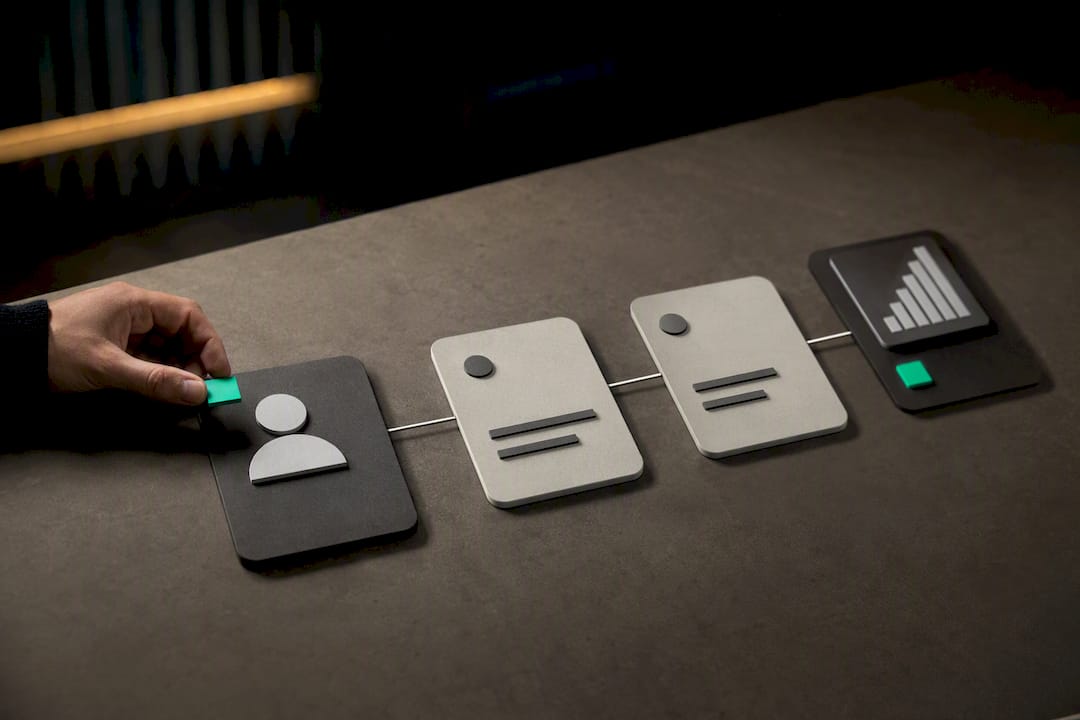
A follow-up cadence is a planned sequence of touches, spaced across specific days and channels, built to move a prospect from silence to a decision. It's not a random string of "just following up" emails. It's a schedule with a purpose behind every message.
The data backs a specific range. Most closed deals take 8 to 12 touches over 21 to 45 days depending on deal size, and 5 to 7 follow-ups is the sweet spot for most professional contexts. Pipedrive's research puts high-performing B2B cadences at 6 to 8 touchpoints over two to three weeks, with 3 to 4 days between email touches.
Volume without variation kills a cadence faster than under-following-up does. Sending the same "just checking in" email five times in a row trains the prospect to ignore you. Sending five different messages, each with a distinct job, keeps the sequence alive.
Baseline Cadences by Lead Type: Day-by-Day Maps
Different lead sources need entirely different rhythms. A cold prospect who has never heard of you needs a slow build. An inbound lead who just requested a demo needs a response within minutes, not days.
- Cold outbound: 10 touches over 30 days. Close's research recommends a mix of email, phone, and LinkedIn, front-loaded early (Day 1, Day 3, Day 7) and spaced wider later (Day 14, Day 21, Day 30) as urgency fades and patience becomes the strategy.
- Inbound and warm leads: 5 to 7 touches over 7 to 10 days. Speed is the whole game here. A lead who filled out a form expects a reply within the hour, not the next business day. Compress the spacing to 1, 2, 3, 5, and 7 days out.
- Post-demo: 4 to 6 touches over 10 to 14 days. These touches should be almost entirely proof-driven. Case studies, ROI numbers, and answers to the specific objection raised on the call.
- Transactional or low-price deals: Compress everything. Run the whole cadence in 7 to 10 days since the decision doesn't need executive sign-off.
- Enterprise deals: Stretch the cadence to 45 to 60 days and run parallel threads to multiple stakeholders at once, since one champion rarely closes an enterprise deal alone.
When a prospect opens an email twice in one day or clicks a pricing link, that's a signal to accelerate, not wait for the scheduled next touch. Jump straight to a phone call or a calendar link. When a cadence finishes with total silence, move the lead to a manual, longer-term nurture track instead of deleting it. Platforms that automate these sequences, like the workflows described in this guide to automated outreach sequences, handle this branching without a rep having to track it in a spreadsheet.
What Elements Does Every Cadence Need to Define?
A cadence isn't just a list of dates. It needs four structural elements defined before you send a single message, or it collapses into random noise.
- Touch purpose. Every message should teach (share a relevant insight), prove (share a result or case study), reframe (address an objection you suspect they have), signal urgency (a deadline or limited capacity), or serve as a breakup (a respectful exit).
- Channel intent. Email carries proof and teaching content because it's swimmable and shareable internally. Phone carries reframing and urgency because tone matters. SMS carries only short, time-sensitive confirmations, like a meeting reminder. LinkedIn carries social proof, like a mutual connection or a relevant post.
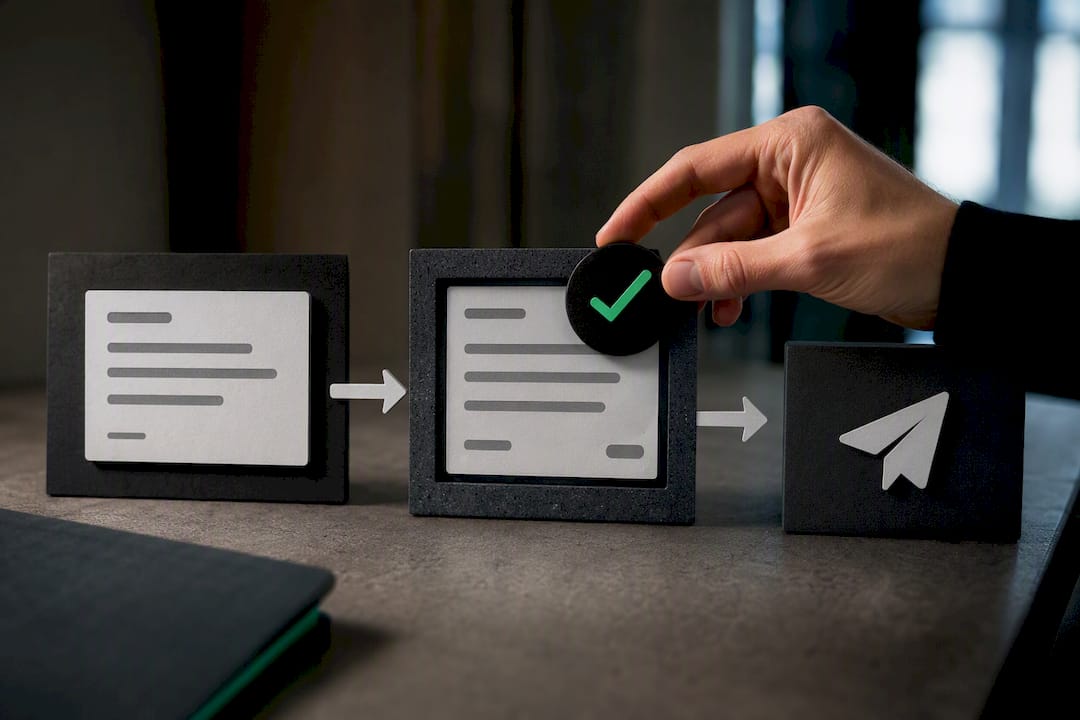
- Exit triggers. A reply, a booked meeting, or an explicit opt-out should pull a lead out of the sequence automatically. Manual removal is where most cadences fail, since reps forget to update the record.
- Branch rules. If they open but never reply, slow down and shift to value-only content with no ask. If they reply with an objection, drop them into a dedicated objection-handling track instead of the default sequence. If they ignore everything, let the sequence run its full course before pausing.
Sales engagement automation exists specifically to enforce these exit triggers, since a human tracking 40 active leads across five channels will eventually miss one.
Message Templates for the Highest-Impact Touches
Specific wording beats generic templates every time. Here are five touches worth writing carefully instead of improvising.
- First outreach subject line: "Quick question about [specific initiative]" outperforms "Following up" because it references something real about their business, not your calendar.
- Proof touch: "We helped [similar company type] cut [specific metric] by [result]. Worth 10 minutes to see how?" Pair this with a case study or a client result relevant to their industry.
- Urgency touch: "We're closing out [program/pricing/cohort] on [date] and wanted to give you first option." This only works when the deadline is real. Fake urgency destroys trust permanently.
- Breakup touch: "I'll assume the timing isn't right and close this out on my end. If that changes, the door's open." This restates the offer once, then hands control back to the prospect.
- Voicemail script (20 seconds): "Hi [name], it's [you] from [company]. I sent over [specific thing] yesterday. If [problem] is still on your plate, I'd love five minutes. My number's [number]."
Curating third-party content works well as a mid-cadence touch. Sharing a podcast episode, an industry article, or a relevant lead nurturing strategy shows the prospect you're thinking about their problem, not just your quota.
How Should Each Channel Be Used Inside a Cadence?
Multi-channel outreach reaches prospects roughly three times more effectively than single-channel outreach, but only when each channel does something the others can't.
- Email carries the proof points, the case studies, and anything worth reading twice.
- Phone handles reframing and urgency, since tone and improvisation matter for objection handling.
- SMS should be reserved for confirmations and reminders the prospect already expects, and only after they've opted in.
- LinkedIn works for social proof: a comment on their post, a mutual connection mention, or a relevant article share.
- Short video (60 to 90 seconds) works well for a personalized proof touch, especially after a demo, since it's harder to ignore than another email.
Never repeat identical copy across channels. A prospect who gets the same paragraph by email and LinkedIn message notices immediately, and it reads as automation without a human behind it.
How Should Spacing Change Across the Cadence?
Spacing should tighten early and widen later. A typical pattern runs Day 1, Day 3, Day 7, Day 14, then monthly touches for silent prospects, a rhythm Close's data supports as the standard escalation curve.
- Compress this entire structure into 7 to 10 days for transactional or urgent deals where a delay actually costs the deal.
- Stretch it to 45 to 60 days for enterprise cycles, and run separate parallel tracks for each stakeholder rather than one shared thread.
- Treat opens and clicks as acceleration signals. Move immediately to the next touch instead of waiting out the scheduled gap.
- Treat a reply, even a short one, as a signal to pause the automated sequence and switch to manual, one-to-one follow-up.
Buyer intent data, like the signals described in this guide to buyer intent signals, can flag exactly when to make that jump instead of guessing from gut feel.
Which Metrics Actually Tell You a Cadence Is Working?
Five numbers tell the real story: reply rate by touch position, meeting-book rate, conversion rate per touch, open and click rates, and opt-out rate. Tracking all five instead of just open rate is what separates a cadence you can actually improve from one you're just hoping works.
80% of closed sales require five or more follow-ups, yet 44% of reps give up after just one attempt. That gap is where most pipeline quietly dies.
- Run A/B tests on one variable at a time: subject line, send time, or channel order, never all three at once.
- Watch opt-out rate closely. A spike there usually means the cadence sent too many low-value touches in a row.
- Monitor domain and sender reputation. A cadence that sends too many emails too fast from one address can trigger spam filters, which quietly kills reply rates across your whole team.
What Mistakes Sabotage a Follow-Up Cadence?
The most common failure is repetition without new value. Sending "just circling back" five times in a row is worse than sending nothing, since it trains the prospect to delete without reading.
- Weak asks with no clear next step waste every touch that follows them.
- Cadences that never end waste rep time on dead leads that should have exited weeks earlier.
- Skipping the breakup message costs you deals you've already half lost. Breakup emails reopen 25 to 40% of dead deals in some contexts, because they restate the problem and hand control back to the prospect with a clean yes or no.
- A short voicemail version of the same message ("Wanted to close the loop on my end, give me a shout if the timing changes") works as a alternative to the written breakup for leads who never open email.
Pro Tip: Write the breakup email like you're doing them a favor by clearing their inbox, not like you're giving up. That tone shift alone is usually why it reopens conversations instead of ending them.
Signal Engine's Approach to Automated Cadence Management
Building 10 touch points by hand across email, phone, and LinkedIn for every lead in your pipeline isn't realistic for a small sales team juggling everything else. That's the exact gap automation software closes.
- AI-based scoring can flag which leads deserve the aggressive 10-touch cold cadence versus a slower nurture track.
- Auto-triggered sequences fire the right message on the right day without a rep remembering to hit send.
- Flags can catch existing customers slipping before renewal, so the same cadence logic can help protect revenue you already have.
- Campaign automation across email and SMS keeps every channel distinct instead of duplicating the same copy everywhere.
For teams building their first sequence from scratch, this walkthrough on automating outreach steps covers the setup end to end.
How Should Industry and Buyer Persona Change Your Cadence?
A cadence built for a $200 monthly subscription should look nothing like one built for a $50,000 enterprise contract, even if both start with a cold email.
Sales cycle length is the first variable to adjust for. A real estate agent following up on a buyer lead needs a completely different rhythm than a SaaS rep chasing an enterprise renewal, which is why real estate specific cadence templates look nothing like a generic B2B sequence. Real estate leads often need same-day responses and weekend availability, while enterprise software buyers expect scheduled, business-hours touches spread across weeks.
Buyer persona changes channel weighting more than anything else. A busy contractor or dental office owner rarely reads long emails between jobs, so SMS and short phone calls carry more weight than a five-paragraph email. A procurement team at a mid-size company, by contrast, expects documentation and case studies delivered by email, since decisions get reviewed by committee.
Deal size should set your total touch count. Transactional purchases under a few hundred dollars rarely justify more than 5 or 6 touches. High-consideration purchases, whether that's an HVAC system replacement or a multi-year software contract, justify the full 10 to 12 touch cadence because the buyer needs more proof before committing.
Match urgency language to the actual buying trigger, too. A homeowner with a broken furnace in January responds to urgency messaging immediately. A CFO evaluating software for next year's budget cycle does not, and a false deadline there damages trust instead of creating action.
How Do You Keep a Cadence From Feeling Automated?
Personalization inside a cadence isn't about inserting a first name into a template. It's about referencing something specific to that prospect in every single touch, even the automated ones.
Start with one detail from the first conversation or form fill: their industry, the problem they mentioned, or a specific page they visited on your site. Reference that detail again in touch three or four, not just the first message. Prospects notice when a "personalized" email never mentions anything they actually said.
Vary sentence structure and length across touches in the same sequence. Five emails that all open with "I wanted to follow up on..." read as a mail merge even when the content changes. Rewrite the opening line of each touch so no two sound like they came from the same template.
Save your most specific proof point, a case study from their exact industry or a mutual connection, for the middle of the cadence rather than the first email. Save it for touch three or four, once you've earned enough attention for it to land. Leading with your best material in touch one leaves nothing for touch three.
Automation tools should draft the skeleton, not the final copy. Let a platform handle scheduling and trigger logic, but review and adjust the actual wording before it sends, especially for the proof and breakup touches, where tone determines whether the message reopens a conversation or ends one.
Bernard's Priority Checklist for Busy Reps
If you're only fixing one thing this week, fix your breakup email. Write it, save it as a template, and use it on every cadence that goes quiet instead of just letting leads rot in your CRM.
Second, audit your first three touches for repeated openers. If they all sound the same, rewrite touch two and three today.
Managers should pull reply rate by touch position monthly. A team-wide drop at touch two or three usually points to weak copy, not bad leads.
— Bernard
Ready to Stop the Revenue Leak?
Signal Engine gives small and local businesses 31 AI-powered tools to score leads by buying intent, predict churn before it happens, auto-generate email and SMS campaigns, and recover missed calls automatically — all in one dashboard starting at $49/month.
Building and maintaining 10-touch cadences across five channels by hand is exactly the kind of work that quietly eats a small sales team's week. Signal Engine's lead scoring tells you which leads deserve the aggressive cadence and which need a slower nurture track, while campaign automation fires the right message on the right day without a rep having to remember it. If you want to see the sequencing logic in action before committing, book a live demo and walk through how it maps to your own pipeline.
Start your free 7-day trial — no credit card required. Setup takes 5 minutes.
Sources
- Sales Follow-Up Cadence That Closes Without Burning Leads
- How Many Times to Follow Up: 2026 Data-Backed Guide | GreetNow Blog
- How often should you follow up? | Close
- Sales cadence examples and outreach strategies | Pipedrive
FAQ
What does follow-up cadence mean?
A follow-up cadence is a planned sequence of outreach touches, spaced across specific days and channels, designed to move a prospect toward a decision instead of leaving contact to chance.
How do you professionally say "follow up"?
In sales writing, "circling back," "checking in on," or simply restating the specific value you're offering all work better than the bare phrase "follow up," which reads as low-effort and adds nothing new to the conversation.
Can you give an example of a meeting cadence?
A common inbound meeting cadence runs touches on Day 1, Day 2, Day 3, Day 5, and Day 7, front-loaded tight because inbound leads need faster response times than cold outbound leads.
What does posting cadence mean?
Posting cadence refers to how often content, like social posts or emails, goes out on a schedule; the same spacing logic behind sales follow-up applies, tightening frequency around high-attention windows and widening it as interest cools.
How many touches should a cold cadence include?
Most cold outbound cadences run around 10 touches over 30 days, mixing email, phone, and LinkedIn with tighter spacing early and wider gaps as the sequence progresses.
Can automation manage a full follow-up cadence?
Yes. Platforms like Signal Engine can auto-trigger sequences based on buy-readiness scores and engagement signals, handling the scheduling and branching logic that would otherwise require a rep to track manually across every channel.